
The Best Network Setup for Creators
Cameras and editing software get all the credit. The network underneath them decides whether any of it actually reaches your audience.
By TechODash.com · 9–11 minute read · Published 2026
Most creators can tell you exactly which camera, microphone, and editing software they use, down to the settings. Ask about their network, and the answer is usually a shrug — it's just whatever the internet company installed. That's fine right up until an upload fails the night before a deadline, or a stream drops mid-broadcast, and suddenly the invisible thing behind everything else becomes the only thing that matters.
This guide is the foundation for everything else in this category: the mental model for treating your network as infrastructure worth designing on purpose, rather than a utility you only think about when it fails.
Content creators and streamers who've never really thought about their network as part of their creative setup, and want a clear starting framework before diving into the specifics later in this category.
Start With the Connection Type, Not the Router
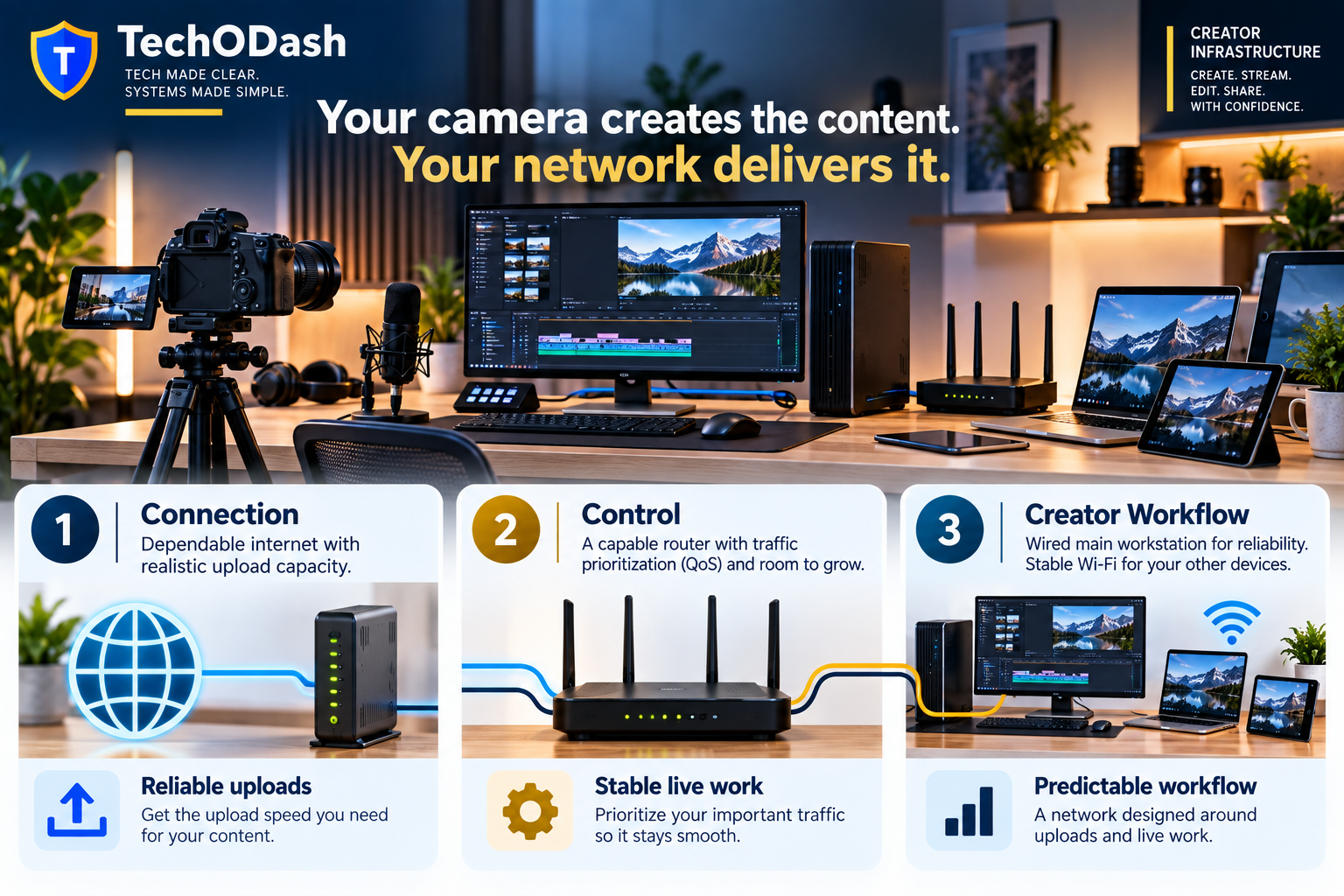
Before any router or setting matters, the connection coming into your home sets a hard ceiling on everything else. Creators specifically benefit from a symmetrical connection — upload speed matching download speed — since uploading and streaming are exactly the activities a typical household internet plan wasn't designed around. Fiber is generally the connection type most likely to offer this, while cable and DSL plans often provide a small fraction of their download speed for uploads by comparison. If you're still deciding on an internet plan, or debating whether to upgrade one, this is the single decision that affects everything else in this category more than any router purchase will.
One Router Feature That Matters More Than Any Spec Sheet
Routers get marketed almost entirely on speed numbers, but for a creator, the feature that actually determines whether your setup holds up under pressure is Quality of Service, or QoS — the ability to tell your router which device or traffic matters most when everything is competing for bandwidth at once. A router without this treats a background phone backup exactly the same as your live stream, which is precisely the kind of invisible failure that only shows up at the worst possible moment. We'll go much deeper on configuring this later in this category; for now, treat QoS support as a genuine requirement when choosing hardware, not a nice-to-have buried in a spec sheet.
Wire the Rig, Wireless Everything Else
If there's one habit worth adopting immediately, it's this: connect whatever device actually streams or uploads your content directly to your router with an Ethernet cable, and leave Wi-Fi for everything that isn't mission-critical. Wireless connections are convenient, but they carry a level of unpredictability — interference, signal drop, competing traffic — that a wired connection simply doesn't. Your streaming rig or main editing machine is the one device in your home where that unpredictability is the least acceptable, and it's also the easiest one to fix permanently with a single cable.
The Rest of This Category, In One Sentence Each
Everything else in this category builds on the foundation above. We'll cover how streamers specifically should structure their network for live broadcasting, the exact conditions that cause streams to drop or fail and how to prevent them, what upload speed numbers actually mean for your specific content type, scheduling and structuring uploads for maximum reliability, keeping your creative workflow separate from smart devices and guests on your network, the full infrastructure picture for live streaming specifically, what your physical desk setup should look like from a networking perspective, eliminating the random drops that interrupt recording sessions, and the hidden infrastructure problems quietly costing creators hours every week. Each of those gets its own dedicated guide.
Know whether your connection is symmetrical, confirm your router supports real QoS, and make sure your actual creation device is wired rather than wireless. Those three things, sorted once, remove most of the invisible risk sitting underneath your setup.
Where to Go From Here
If live streaming is part of what you do, the network architecture behind it deserves its own dedicated look — bandwidth allocation and wired-vs-wireless decisions play out differently for live broadcasting than for general content work.
→ How Streamers Should Structure Their Network Download Free Checklist →Sources
- Fibre Compare — symmetrical connections and QoS as core requirements for streamers and content creators
- Compare Internet — router requirements and wired vs. wireless recommendations for content creation
Your content's reliability starts with the network behind it.
The SOHO 2026 Guide covers the complete network architecture behind reliable, professional-grade infrastructure — the same structure and habits that support any home office, studio, or small business. Written in plain English. Built on 25+ years of real-world IT experience.
Explore SOHO 2026 →TechODash.com
Calm, practical guides for remote workers, content creators, and small business owners who want networks that work reliably and safely — without the enterprise complexity. Built on 25+ years of hands-on IT experience.